

FlashMD
A native Markdown editor that stays on your Mac.
Keyboard-first source editing for plain .md files—structure-aware, fully offline, no cloud.
macOS 14 (Sonoma) and later · Universal binary
What it is
What is FlashMD?
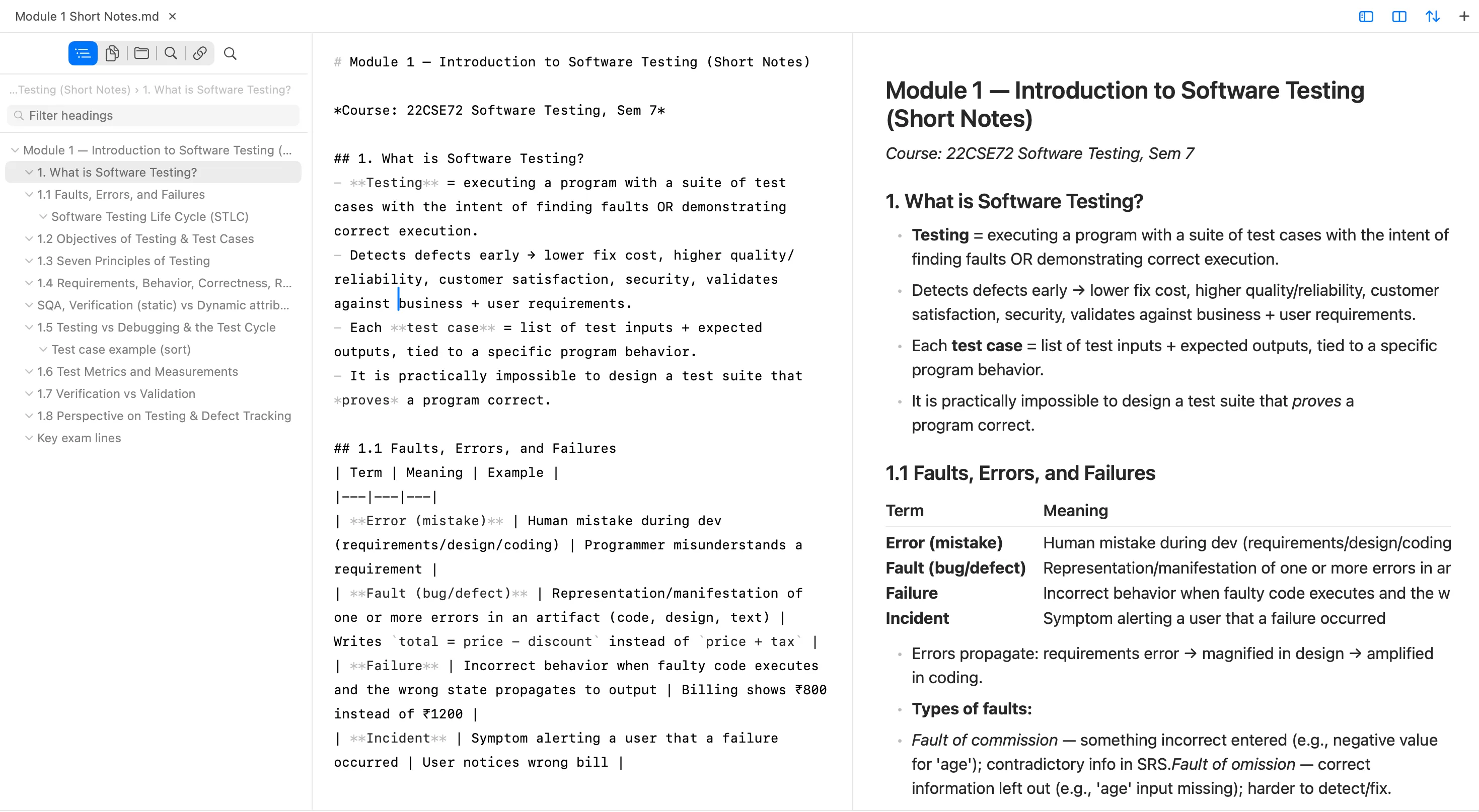
FlashMD is a fast, local-first Markdown editor for macOS. It edits plain .md files on your disk with a native SwiftUI interface and a Rust document engine—keyboard-first, structure-aware, and fully offline, with no cloud sync or telemetry.
- Platforms
- macOS 14 (Sonoma) and later. Universal binary for Apple Silicon and Intel.
- Offline / local
- Yes. Files on disk are the source of truth. No cloud sync, no account required to use the app.
- Telemetry
- The FlashMD app does not collect telemetry and does not phone home. This website uses cookieless Cloudflare Web Analytics only.
Product
Built around real Markdown on disk.
Native SwiftUI shell. Rust document engine. The UI you get is the UI you ship—no Electron chrome, no remote note sync.
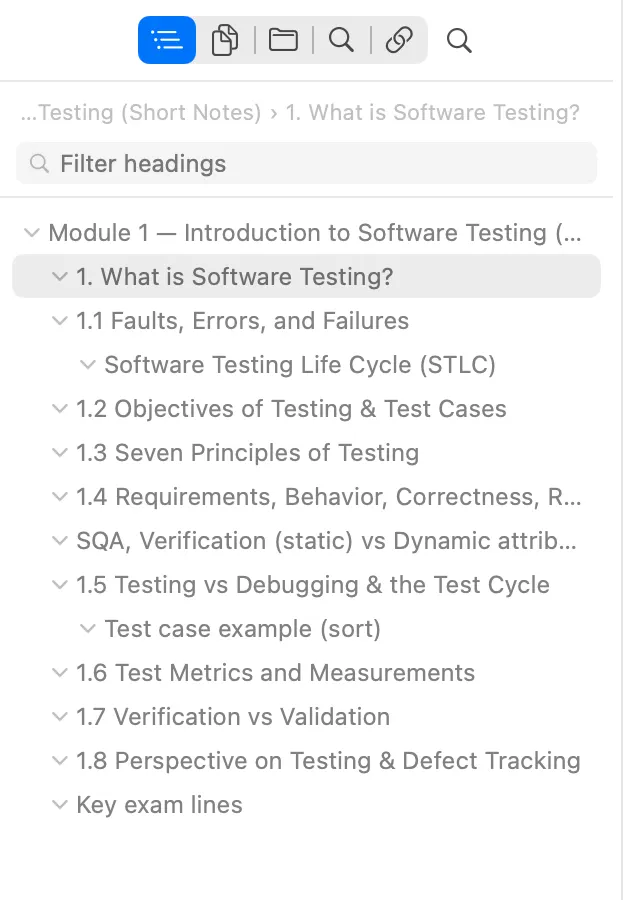
Nested outline with filter—jump without leaving the doc. Reference 01
Live table of contents
Long documents stay navigable. FlashMD builds an outline from ATX and Setext headings, updates it while you type, and jumps the editor to the section you click.
- Nested heading tree with collapse
- Filter headings without leaving the pane
- Click to jump; caret and scroll follow
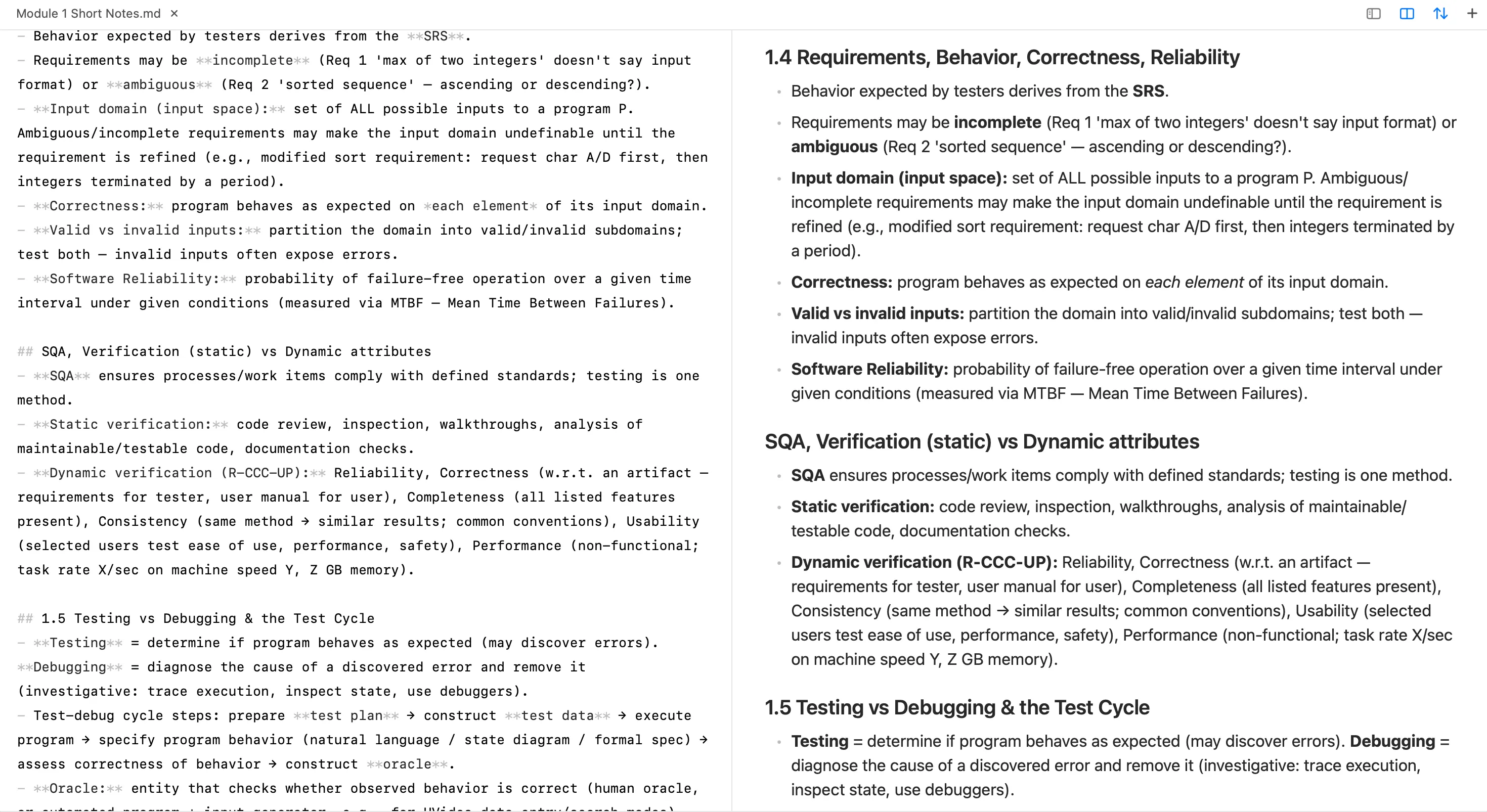
Source Markdown beside a native preview—not WYSIWYG. Reference 02
Editor + native preview
You edit the source. Preview is optional—a native SwiftUI render of the same file, not a rich-text WYSIWYG canvas that hides the Markdown.
- Editor, Preview, or Split per tab
- CommonMark + GFM in the preview
- No WebView on the main reading path
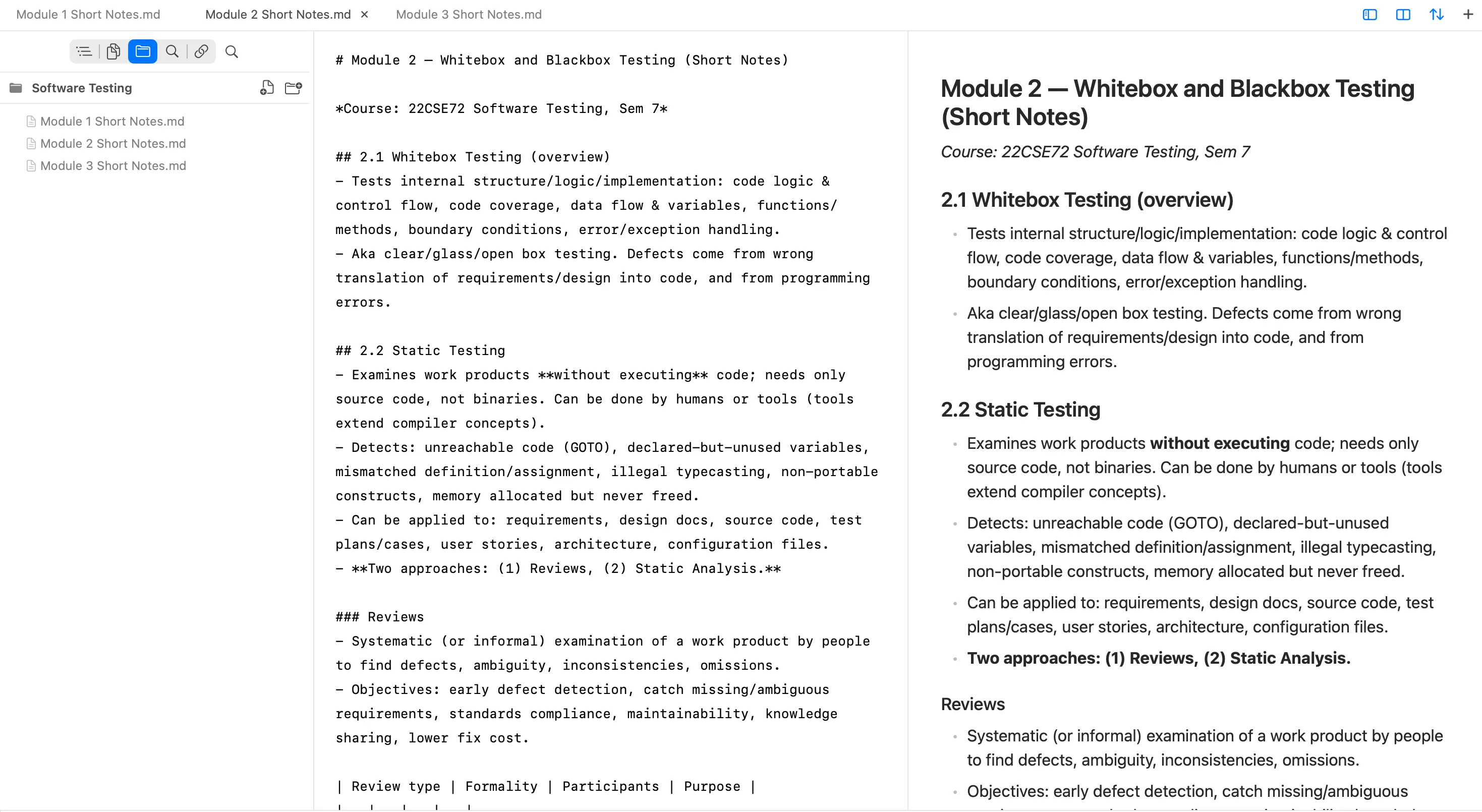
Open a folder of .md files. Your disk is the vault. Reference 03
Local workspace
Open a folder and browse the files that already live on your disk. Plain .md is the source of truth—no proprietary vault, no account, no sync service.
- Folder as workspace, files as truth
- Open tabs and recent documents at a glance
- Works offline after a single download
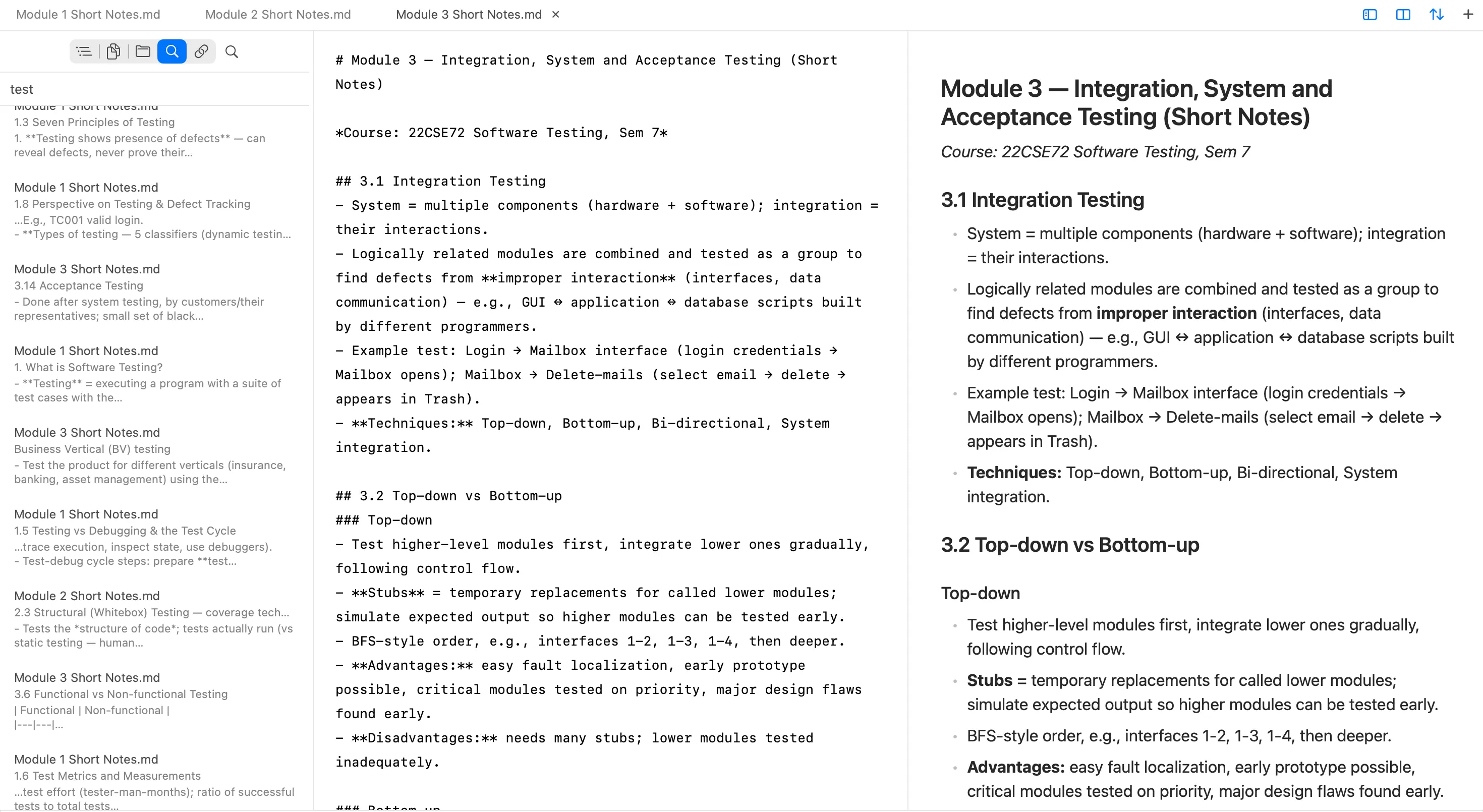
Full-text search across the workspace, entirely offline. Reference 04
Fast local search
Find phrases across the workspace without leaving the machine. Results show path and snippet; click to open the match in the editor.
- Full-text search over local files
- Snippets with heading context
- No cloud index, no telemetry
Capabilities
Friction out. Structure in.
Every feature has to remove friction. No vanity chrome—just a fast path from thought to Markdown on disk.
001
Structure-aware editing
Enter, Tab, and shortcuts follow the block under the caret—lists, headings, fences—so Markdown stays correct as you type.
002
Live table of contents
A live outline of ATX and Setext headings. Click to jump; keep long docs navigable while you write.
003
Local files only
Open single files or folders. Plain .md on disk is the source of truth; indexes are disposable.
004
Fully offline
Download once. No accounts, no sync, no update pings inside the app—zero outbound network.
005
Native macOS
SwiftUI + TextKit 2 editor, native menus, undo, and accessibility—not a wrapped web view.
006
Keyboard-first
Designed for people who live in shortcuts: tabs, sidebar, preview, find, and workspace search.
Who it’s for
Built for people who already think in Markdown.
001
Developers & technical writers
READMEs, specs, and docs in repos—opened fast, edited as source Markdown, saved as plain files.
002
Knowledge workers
Large local vaults with deep headings. Live ToC, workspace search, and structure you can trust.
003
Privacy-conscious writers
A verifiably offline tool: no telemetry, no cloud sync, documents that never leave the machine.
How it differs
A source editor that understands structure.
FlashMD is deliberately narrow: fast local editing with a live outline. What it is not matters as much as what it is.
Not WYSIWYG
You edit Markdown source. Preview is optional and native—never the primary editing model.
Not cloud notes
No accounts, no sync backends, no proprietary vault locked to a vendor. Folders of .md files.
Not Electron bloat
Native SwiftUI shell over a Rust core. Designed to feel like a Mac app—because it is one.

Download
Get FlashMD for macOS.
Notarized DMG. Requires macOS 14 (Sonoma) and later. Universal build for Apple Silicon and Intel. Download the installer from this site, open the disk image, and drag FlashMD to Applications.
FAQ
Answers, plainly.
What is FlashMD?
FlashMD is a native, keyboard-first source Markdown editor for macOS. It edits plain .md files on disk with a SwiftUI shell and a Rust document engine. It is not a WYSIWYG editor, not a cloud note service, and not a plugin platform.
Does FlashMD work offline?
Yes. After you download FlashMD, it runs fully offline. There are no accounts, no cloud sync, and no network calls from the app—your documents stay on your Mac.
Does FlashMD send my documents to the cloud?
No. FlashMD never uploads your files. Plain Markdown on disk is the source of truth. The app does not phone home, and it does not collect telemetry.
What Mac versions are supported?
FlashMD requires macOS 14 (Sonoma) or later. Builds ship as a universal binary for Apple Silicon and Intel Macs.
Is FlashMD a WYSIWYG editor?
No. FlashMD is a source editor that understands Markdown structure. You edit the Markdown itself, with a live table of contents and an optional native preview—not a rich-text WYSIWYG canvas.
How is FlashMD different from cloud note apps?
Cloud note apps sync to remote servers and often hide file formats. FlashMD keeps your notes as ordinary .md files in folders you choose, with zero network use and no account required.
How do I install FlashMD?
Download the notarized DMG from this site, open it, and drag FlashMD to Applications. On first launch, macOS Gatekeeper may ask you to confirm opening a notarized app from the internet.
Where is my data stored?
Your documents live wherever you save them on disk. Optional local indexes and history live under Application Support on your Mac. Nothing is stored on FlashMD servers—there are none for the app.